SCP handouts: report and access card templates for RPGs
Explore ERPG’s two SCP handout templates: Relatório da Fundação and Cartão SCP. Compare their formats and connect clues for your next tabletop RPG session.
An SCP handout for a tabletop RPG can explain what a team observed or indicate which area someone could access. ERPG has two templates for these purposes: Relatório da Fundação, a Foundation report, and Cartão SCP, an access card. This guide helps you choose a format and connect the two during an investigation.
The images below are actual library previews. Scene examples are original suggestions to adapt in the editor. This is an independent RPG guide; template names remain as listed in the catalog.
Which SCP templates are available?
| Template | What it offers | Access on September 15, 2026 | | --- | --- | --- | | Relatório da Fundação | A document with SCP references, containment text, credential fields and a mixture of text and images | Free | | Cartão SCP | A landscape credential whose preview shows Site 19, level 2, a numeric identifier and a barcode | Premium |
Check each template page for its current classification. Usage, saving and export options follow your account’s conditions.
Relatório da Fundação: give players information to consult
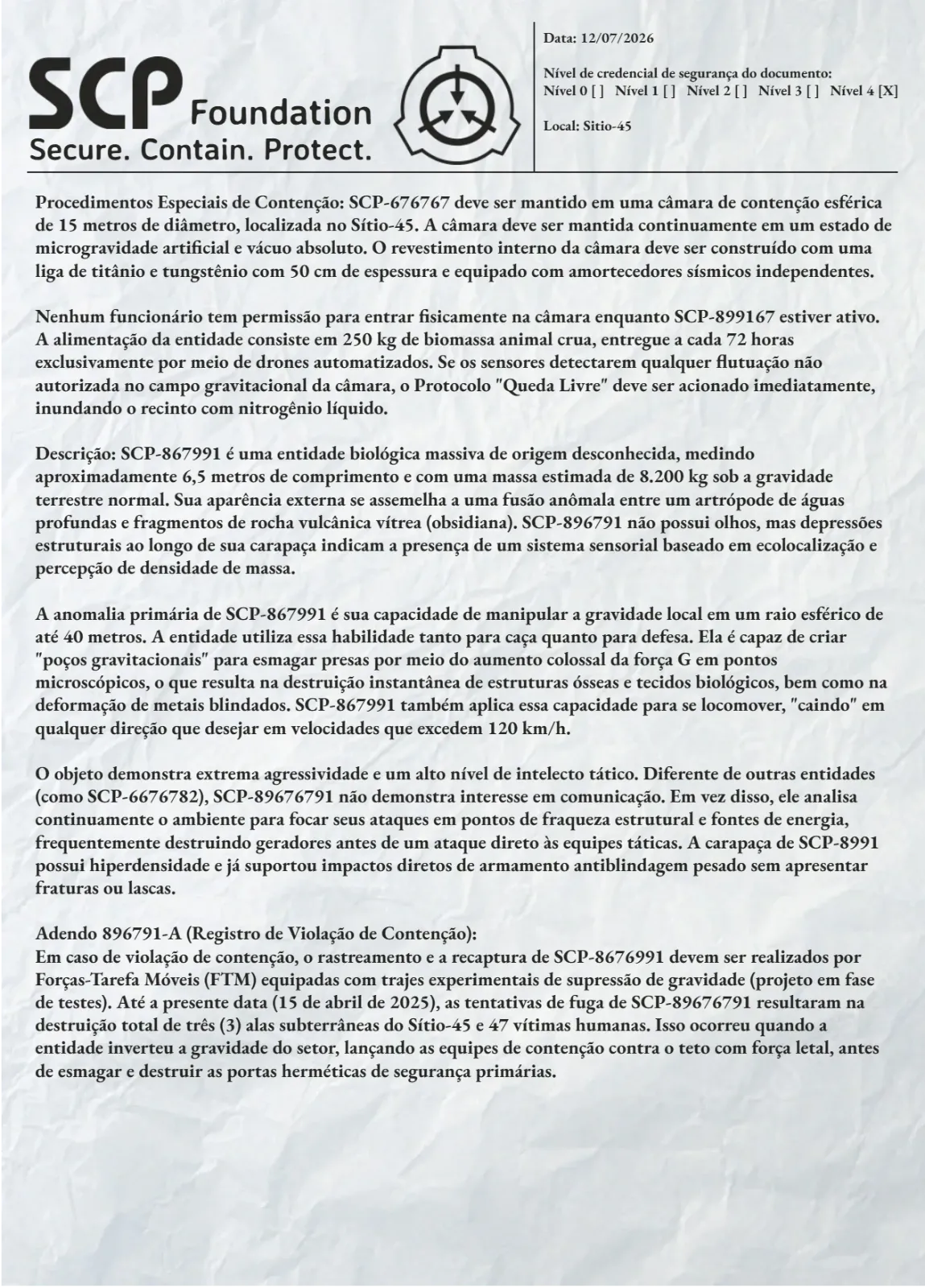
Choose the report when players need to compare times, understand a restriction or locate the person responsible for a procedure. The file already contains material: inspect the whole composition so its text and images fit your new case.
Write a concrete observation and a possible action. “The camera lost signal” raises a question; “the camera lost signal at 02:14, but the reception log remained operational” gives the party something to investigate. One readable page is often easier to consult at the table than several paragraphs of background.
The SCP report tutorial develops a short structure, example wording and an editor review process.
Cartão SCP: turn a credential into a clue
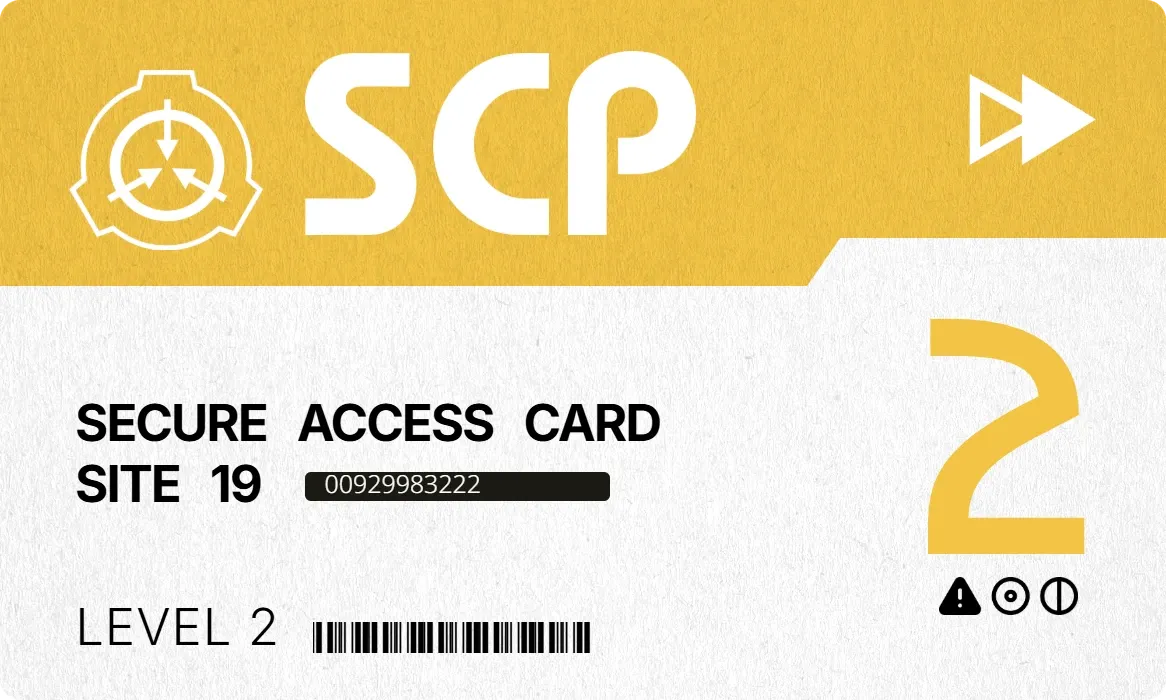
Cartão SCP has a horizontal composition with a yellow band, the Foundation symbol and a prominent number 2. The preview provides institutional and numeric identification; it does not show a staff portrait.
Use it as a recovered object, a credential lent by a character or an identifier linked to a record. The barcode contributes to its appearance. Any terminal scan and its result need to be established in your campaign’s fiction.
The SCP access card guide explains how to use the visible information, plan permissions and keep the discovery useful even when the card does not open a door.
Use both in one session
Start with a question: why was a valid credential found in an evacuated area? The following sequence is a starting point for an adventure you prepare.
- The party finds the card. Its identification number is the first detail they can check.
- A record at reception associates that number with activity outside the expected hours.
- The report describes an incident at the same time and names whoever signed off the inspection.
- Speaking to that person clarifies part of the case and offers the next action.
The reception record and conversation are narrative material you prepare; they are not files included with the two templates. The card links evidence. The report describes the event. Decide what each reveals before writing, so they contribute different information.
If the party misses the card, a witness can provide the number or department. If players distrust the report, give them a way to check its date. Their decisions should continue to move the investigation forward.
Keep clearance and object classification separate
A person’s clearance and an object’s class serve different purposes in the setting. The SCP Wiki’s security clearance reference discusses access to information, while its object class guide explains containment classifications. Use these references to keep the card and report consistent.
Prepare the templates for play
Open the selected template page, check access and continue to the editor. Adapt the available information to your scene, review names and numbers, and inspect an export at the size you will share. Keep game master answers in a separate file.
You can supplement the case with investigation templates or a message from the modern handouts guide. Browse other formats on the RPG handouts page.