RPG newspapers and news clippings
Present the public account of an event with G2 and Gazeta do Polvo. Both catalog templates depict digital news portals and suit contemporary campaigns.
Mini Kraken · ERPG
Turn a clue into a document your players can read, keep and investigate. Use the Mini Kraken handout editor to combine text, images and layers, or start with a library template.
Browse public previews without signing in. Creation may require login; template access conditions are shown in the library.
Present the public account of an event with G2 and Gazeta do Polvo. Both catalog templates depict digital news portals and suit contemporary campaigns.
Write clues in a character's voice. A letter can ask the party for help, a brief note can change a plan, and a diary can show how suspicion developed over several days.
Turn a discovery into evidence the table can revisit. Combine institutional reports with a personal photograph, then let the differences between those sources point toward the next scene.
Build clues your present-day characters would actually receive. An email leaves an administrative trail; a chat makes an exchange feel immediate; a news page shows what has become public.
Use a fictional magazine cover to show how your campaign world sees a person, a place or a scandal. Fordes, Tapas, Global Geographics and Receba cover business, celebrities, exploration and general interest.
Deliver the clue through the device a character carries: a locked phone, a chat in Zap or Zapson, an incoming call, a Finder profile or a shared social post.
Show what was left open on someone's machine: a desktop, a lock screen, an old terminal, an inbox, a forum thread or a fictional encyclopedia entry.
Identity cards, a driver's license, student IDs, an access card and faction credentials to introduce a character, support a disguise or cast doubt on a name.
Operation forms, confidential records and organization files for agent, paranormal investigation and conspiracy campaigns. Some versions carry blood marks for interrupted records.
Aged, burnt or blood-stained Polaroids for visual clues. The photograph shows a face, a place or an object the party needs to recognize.
Mysterious books and parchments for fantasy and horror: a leather-bound volume with gold details, an old red book and two parchment designs for decrees, fragments and quests.
Physical media for suspicious recordings: a numbered DVD, an old vinyl record, a film reel, a tape cover and a film clapperboard.
A key, photograph or news report can open different paths through an adventure. Inspect these previews, then explore the library to choose a starting point.
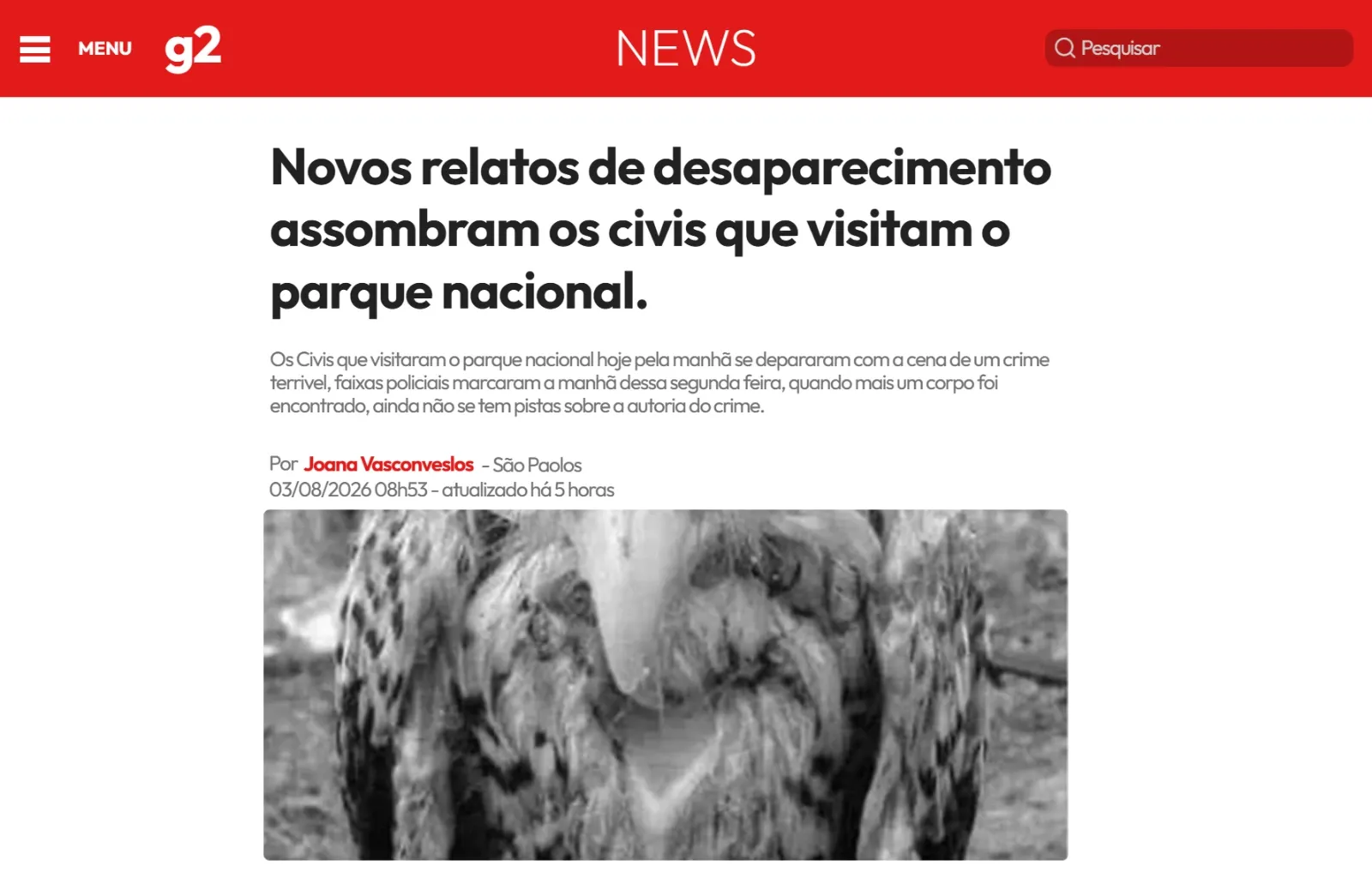
Turn a fictional news page into a lead with a headline, time and witness. Adapt the G2 layout for contemporary investigations.
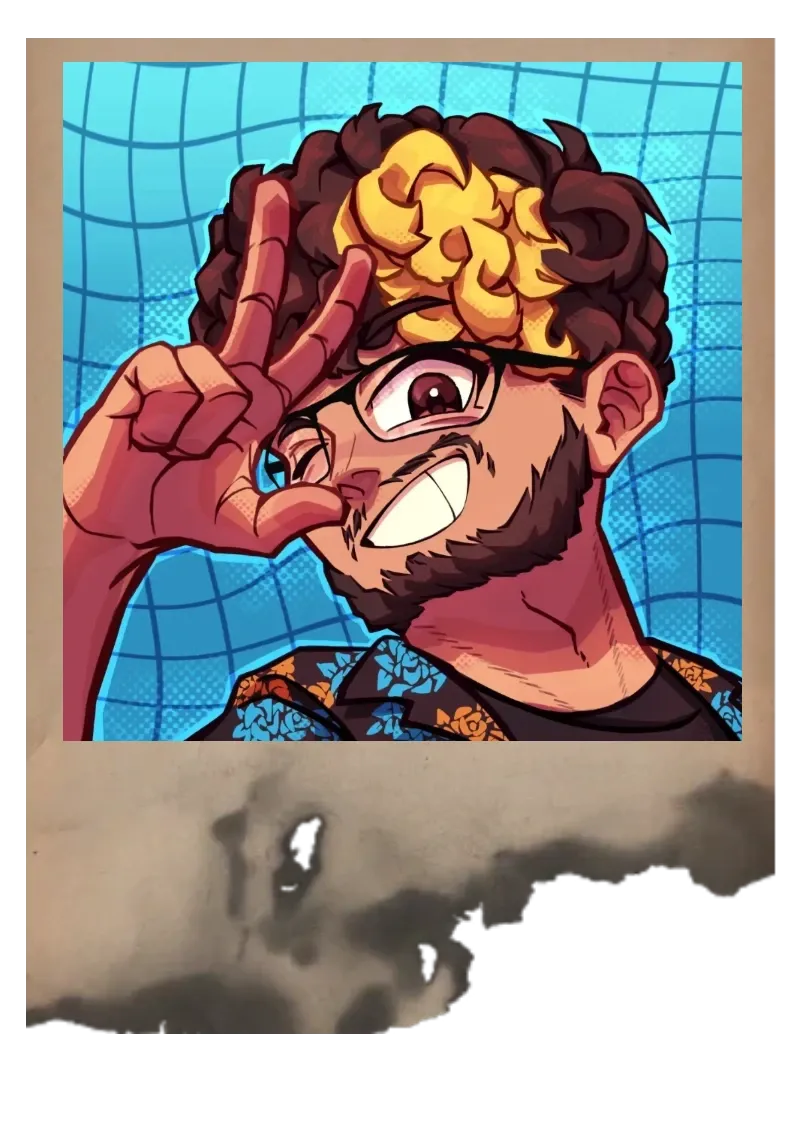
Use an aged, burnt photograph to suggest damaged evidence; keep one recognizable detail as a lead for the players.
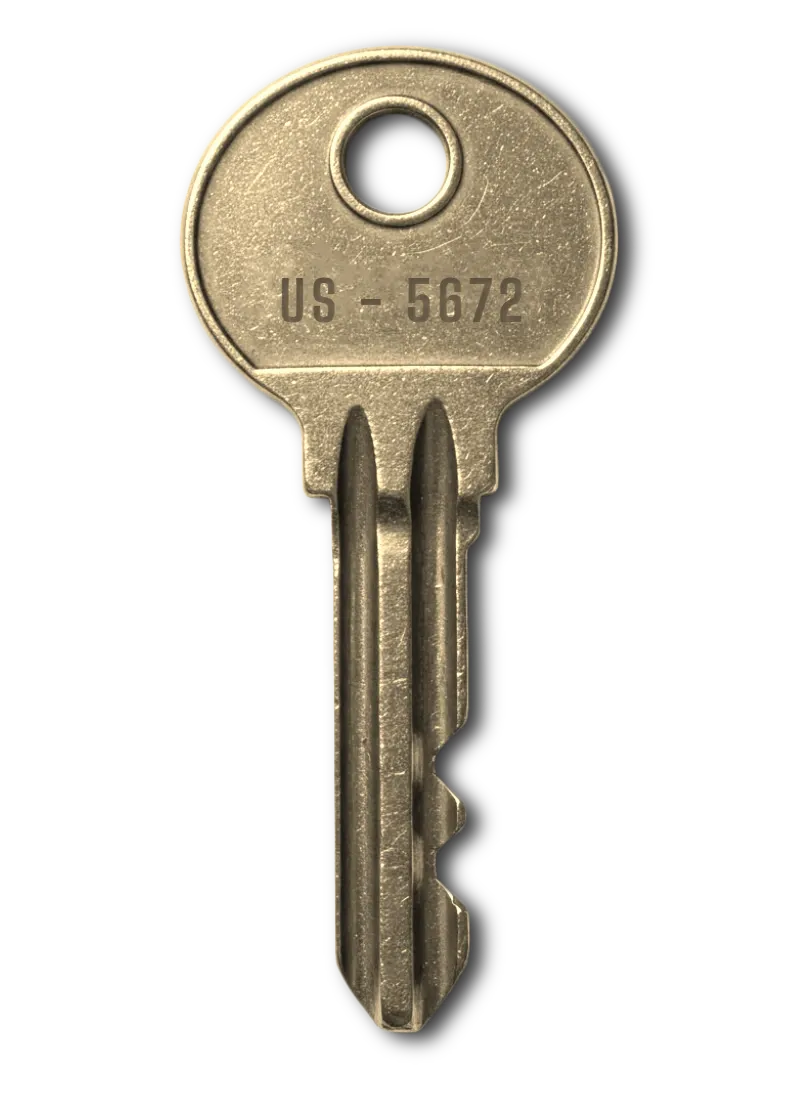
Place a physical key in the story and connect its origin to a padlock, a missing owner or a guarded location.
Each template has its own page with a preview, usage ideas and steps to adapt the document to your campaign.
Present a folder of phone applications and use the choice of apps to suggest the owner’s habits or contacts.
Create an in-world forensic report with observations that move an investigation forward. Use only fictional case details.
Create a quick, readable warning or meeting note. This compact handout is useful when one instruction should drive the scene.
Introduce a document form marked with blood and separate the information on the page from the circumstances of its discovery.
Use the second stained operations form to connect an assignment with a missing operative or disputed outcome.
Present the third stained operations form as field evidence and identify the action its writer never completed.
Use the fourth operations form with blood marks as interrupted paperwork; compare its orders with what actually happened.
Present an old photograph splashed with red liquid; let the image and the stain raise separate questions.
Use the blue credential variant to connect a fictional faction member with a location, witness or disputed identity.
Use an aged, burnt photograph to suggest damaged evidence; keep one recognizable detail as a lead for the players.
Introduce a burnt photograph whose surviving subject gives the group a reason to identify who destroyed the rest.
Make a letter that gives players a personal reason to investigate. Add a sender, meeting place and an original message.
Create a short fictional chat that points players toward a person, place or time in a modern RPG investigation.
Turn an ordinary note about coffee into a small clue about a routine, a meeting or someone’s unexpected absence.
Present a confidential form as an organizational record, revealing one instruction that conflicts with the public explanation.
Write a fictional journal with dated observations, a changing interpretation and a clear lead for your RPG players.
Adapt a Guilda Insurgentes credential with identification and institutional details to introduce a person or affiliation in an investigation.
Introduce a suspicious recording found in a garage; its numbering can suggest missing discs or an unfinished collection.
Show a fictional inbox where several subjects suggest relationships, missed warnings or an appointment worth investigating.
Publish a fictional FanBook post whose linked story connects a public statement to a less obvious source.
Use the McLovin-inspired license as a fictional identity prop, building a scene around an alias or doubtful credentials.
Introduce a clapperboard as a filming clue; connect its production details to the scene where the group found it.
Place a film reel among the evidence and use its origin to lead players toward someone who can explain the footage.
Present a fictional friendship or dating profile that connects an alias to a meeting, photograph or recurring location.
Use the Flash-themed tombstone as a humorous prop or memorial, adapting the joke to your table’s tone.
Create a fictional business-style magazine cover that connects a public figure’s reputation to the campaign’s events.
Introduce a fictional Fortuna identity document whose name, portrait or origin can connect an NPC to the investigation.
Present a case number, observations and an unresolved anomaly in an editable report for a mystery or horror RPG.
Turn a fictional news page into a lead with a headline, time and witness. Adapt the G2 layout for contemporary investigations.
Use the Gazeta do Polvo news portal to present a disputed story or the public account of your campaign’s events.
Frame a place or discovery as a fictional magazine feature, giving explorers a location and a question to investigate.
Introduce the gold credential variant as a clue to its holder’s identity without assuming the color proves authority.
Distinguish a fictional faction credential with the gray design and connect its holder to a specific encounter.
Use the green credential variant to identify a fictional faction member; explain any color meaning within your setting.
Introduce a call from a significant contact and decide why its timing matters to the characters’ investigation.
Introduce a fictional Jujutsu school credential and connect its student to an attendance record or unexplained absence.
Place a physical key in the story and connect its origin to a padlock, a missing owner or a guarded location.
Introduce correspondence with a broken seal and make its possible interception part of the mystery.
Introduce a locked mobile phone as a clue; choose which visible information creates a lead without revealing the whole conversation.
Adapt the “lost everything, renting now” meme as an in-world joke or rumor suited to a lighthearted scene.
Write a personal promise or confession whose intended recipient gives the group an emotional reason to follow the clue.
Introduce a leather-bound book with gold details as a mysterious object whose provenance matters as much as its contents.
Use a fictional Mex OS computer screen to establish who used the machine and what they were trying to find.
Use the Monster Tower collaboration’s identity card to tie a named character to that fictional setting.
Introduce a file from a mysterious organization, using its references to imply a wider operation beyond the current case.
Collect scattered thoughts in a notebook and let a repeated detail connect otherwise unrelated entries.
Use a notebook cover to establish ownership, purpose or a misleading first impression before revealing its contents.
Bring an earlier death into the investigation through an old forensic report, comparing its findings with a present case.
Link a former cinema worker or visitor to an old identity card, making the venue part of the investigation.
Use an old computer display for an archival discovery, a forgotten command or the last trace of a previous operator.
Use Polaroid Velha’s aged frame for a visual clue. The file contains images; add a text layer if you need a date or annotation.
Introduce an old record as a keepsake or clue; its label and history can point toward a forgotten performer.
Build an email clue with a sender, subject and an actionable request for a contemporary mystery.
Organize a fictional case around a folder, a clear case label and a short list of connected documents.
Set out a secret operation on a blackboard so the group can relate names, places and competing explanations.
Record a fictional operation’s objective and responsible party, giving the group a concrete name to investigate.
Use the second operations form to organize an assignment and make an overlooked detail relevant to the next scene.
Use the third operations form for a mission record and contrast the intended plan with the team’s actual movements.
Present a fantasy message on parchment; a name, destination or deadline can turn the document into a concrete quest lead.
Use the second parchment design for a decree, fragment or quest instruction, giving the text an identifiable source.
Present the purple credential variant and give its holder a recognizable role in the party’s investigation.
Present a discussion on a fictional online forum, mixing useful testimony with speculation the group must evaluate.
Present a fictional magazine cover whose headline hints at an event that matters beyond the public story.
Use an old red book as a mysterious possession, connecting its previous owner to the discovery the party is about to make.
Frame a private account with a rose-decorated diary, contrasting its gentle appearance with the secrets written inside.
Create a fictional SCP Foundation credential that links a named agent to a restricted facility or an unexplained visit.
Introduce a brief note involving sigils; provide a contextual clue so interpreting the symbols does not halt the adventure.
Use a fictional celebrity-style cover to turn a public appearance or sensational story into an adventure lead.
Use a tape cover to suggest a recording’s supposed contents, then let the actual story challenge that label.
Present an open messaging app as evidence, using a recent exchange to reveal a contact or a missing part of the timeline.
Present a fictional encyclopedia entry with questionable information; let players compare its account with another source.
Set a contemporary computer scene with Winderson 10; connect the screen’s contents to an NPC’s recent activity.
Use a computer lock screen as the first trace of its owner, leaving the contents of the session unresolved.
Stage a fictional messaging exchange with Zapson; an unfinished reply can reveal a meeting or a change of plan.
Choose what the group can do after reading. A letter points to someone, a newspaper records an event and a diary shows what a witness believed.
Combine the background, text and images in the editor. Keep names, dates and addresses readable, and use visual details to establish the document’s context.
Open the preview at the size your players will use. Keep a transcript and separate your GM notes from the material you hand over.
Original texts to adapt for your campaign, with explanations of what each clue does. Start with a document format or the kind of investigation you want to run.
Make RPG handouts with clear clues, adaptable document examples and a practical workflow for designing, checking and sharing your first player handout.
Create Call of Cthulhu handouts using an original newspaper clipping, diary page and cargo receipt, with practical leads and notes for the Keeper.
Build a fictional RPG newspaper with a headline, date, witnesses and usable clues. Includes an original clipping, layout steps and printing advice.
Adapt three original letter, diary and note examples for your RPG campaign. Give each writer a voice and turn every document into a playable choice.
Compare the Cthulhu Architect Handout Generator workflow with Mini Kraken's editor and choose how to make documents and clues for your RPG campaign.
Adapt Bilhete, Polaroid Velha, Relatório da Fundação and other ERPG templates. Learn what each file contains and what to change for your campaign.
Explore ERPG’s existing Email Aberto, Conversa do Zap and G2 templates. Choose a format, adapt its clues and check the result before your session.
Explore ERPG’s two SCP handout templates: Relatório da Fundação and Cartão SCP. Compare their formats and connect clues for your next tabletop RPG session.
Prepare an SCP report with an observation, a procedure and a clue players can check. Adapt ERPG’s existing Foundation report and review it before your session.
Use ERPG’s SCP access card as an investigation clue. Inspect the real preview and plan identifiers, permissions and connections to a Foundation report.
It is material players receive as part of the story, such as a letter, photograph, map or diary page. It gives them a reference for investigating, comparing information and making decisions.
Yes. The editor works with visual documents; you adapt their period, language and content to your campaign. The guide examples are fictional and do not depend on a particular game’s rules.
The library includes free templates and templates with restricted access. Check the access label before choosing a model. Public previews let you inspect the material.
Proofread the text, use the export options available in the editor and inspect the image at its final size. Test margins before printing; for online games, check phone readability and provide a transcript.